
Optimized for iPhone Duo
Camera
Apple
Duo Features
How this app behaves on Duo
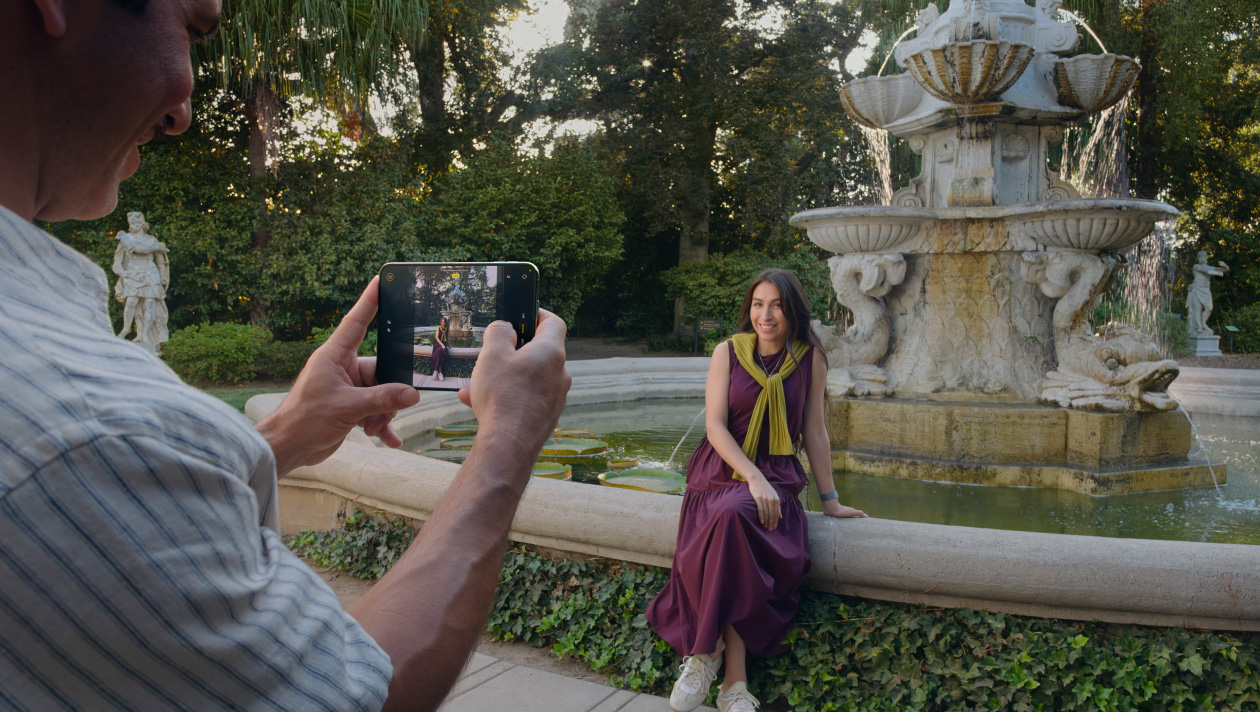
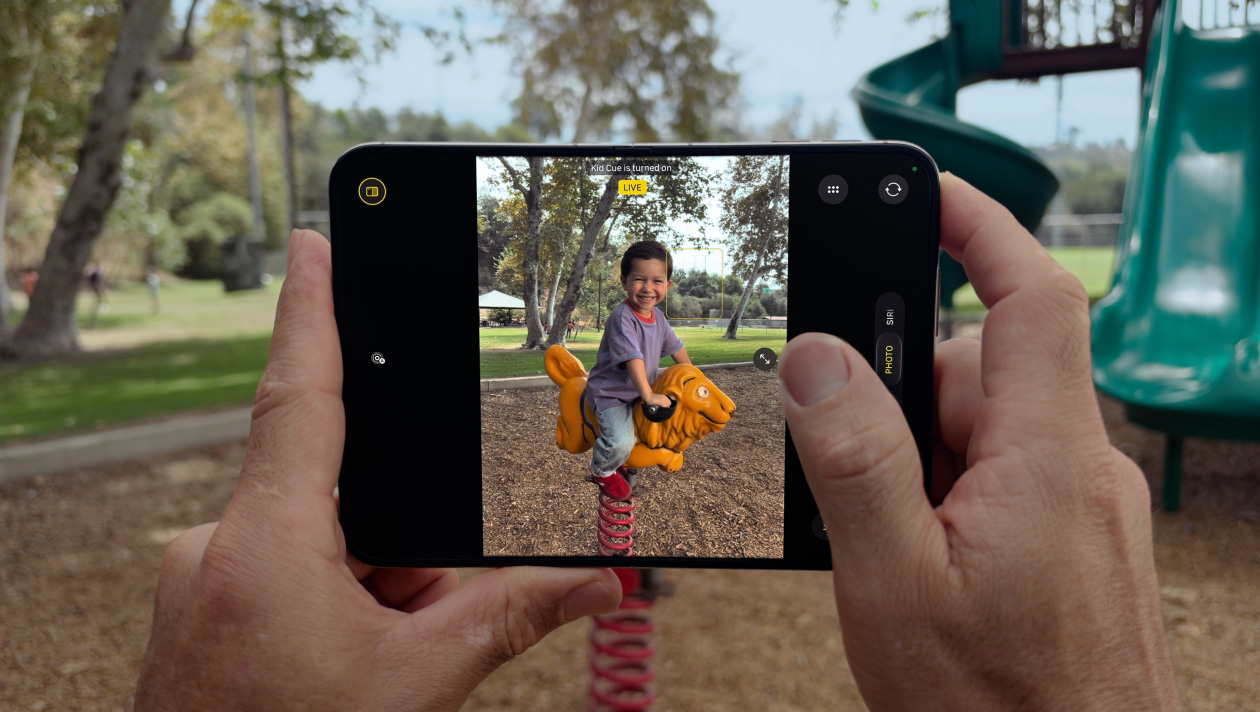
Camera on iPhone Duo puts a live viewfinder on the outer display as Duo Preview so the subject can see framing, and Kid Cue can play on that same face. Smart Take captures when on-device models decide the pose is ready, and because Duo stands on its hinge, time-lapse and rear-camera selfies can run without a tripod using the outer display as a preview.
Copyable developer patterns
01
Outer-display viewfinder as a second sceneDuo Preview is a glanceable outer scene — viewfinder, cue, or status — not a scaled copy of the full Camera chrome. Drive it as its own display, not a mirror of the inner UI.
02
Fold-aware capture on the hingeDuo can stand on its hinge for time-lapse and rear-camera selfies. Treat propped capture as a pose change, not a tripod accessory API.
03
Scene-driven capture orientationApple’s camera talk covers a virtual front camera, a direction coordinator, and dual-display preview. Drive orientation from the scene, not from the launch orientation.
Screenshots
Closed, open, and folded — only stills Apple has published.

FAQ
How does Camera work on iPhone Duo?
Camera on iPhone Duo puts a live viewfinder on the outer display as Duo Preview, with Kid Cue on that same face, and can capture while Duo stands on its hinge. Smart Take fires when on-device models decide the pose is ready.
What is Duo Preview on iPhone Duo Camera?
Duo Preview is a live viewfinder on the outer display so the subject can see framing. It is a second, glanceable scene — not a copy of the full inner Camera UI.
Does Camera on Duo need a tripod for time-lapse?
No. Because Duo stands on its hinge, time-lapse and rear-camera selfies can run using the outer display as a preview. That is a fold-aware pose, not a new capture accessory in the public Camera notes on this page.
Last updated