
Optimized for iPhone Duo
FaceTime
Apple
Duo Features
How this app behaves on Duo
FaceTime on iPhone Duo lets a second participant join from the outer display and its camera, so someone standing with you can join without crowding the inner screen. Dual Capture can share front and rear feeds at once, and the under-display inner camera stays available when Duo is fully open or propped on the hinge for hands-free calls.
Copyable developer patterns
01
Outer display as its own camera sceneDuo FaceTime’s “someone next to you” surface is the outer display plus its camera. Treat that as a second scene, not a mirrored copy of the inner call UI.
02
Two displays for Dual CaptureFront and rear feeds can share at once. Keep each display’s job distinct: inner canvas for the call, outer face for the person standing with you.
03
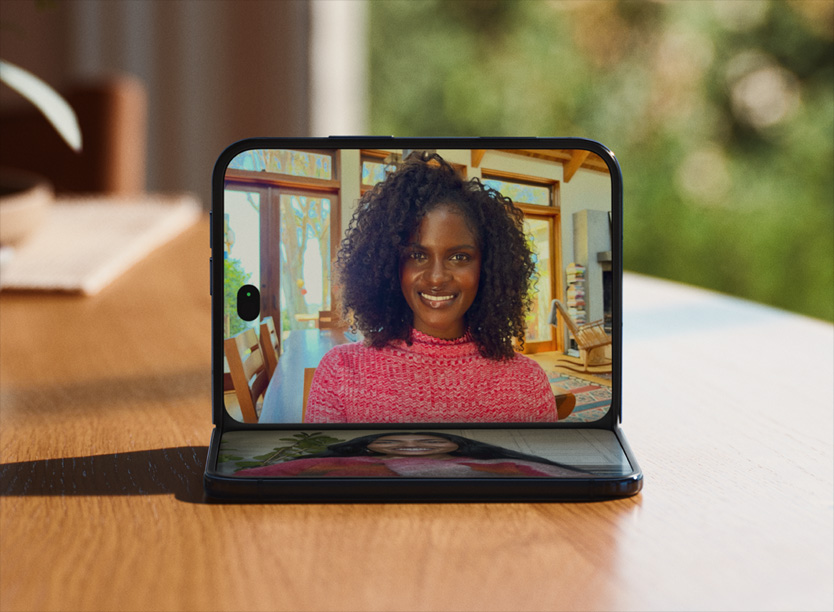
Propped-open, fold-aware callsHands-free FaceTime when Duo is a stand is a fold-aware posture. Layout and capture orientation should follow the scene as the device is set down.
Screenshots
Closed, open, and folded — only stills Apple has published.

FAQ
How does FaceTime work on iPhone Duo?
FaceTime on iPhone Duo lets a second participant join from the outer display and its camera, and Dual Capture can share front and rear feeds. The inner camera stays available when Duo is fully open or propped on the hinge.
What is Duo FaceTime’s outer-display role?
The outer display and its camera let someone standing with you join without crowding the inner screen. That surface is its own scene, not a mirrored inner layout.
Can FaceTime run hands-free on iPhone Duo?
Yes. Apple shows Dual Capture and the under-display inner camera remaining available when Duo is propped open on the hinge. That is a fold-aware posture, not a separate FaceTime-for-Duo app.
Last updated