
Optimized for iPhone Duo
Netflix
Netflix, Inc.
Duo Features
How this app behaves on Duo
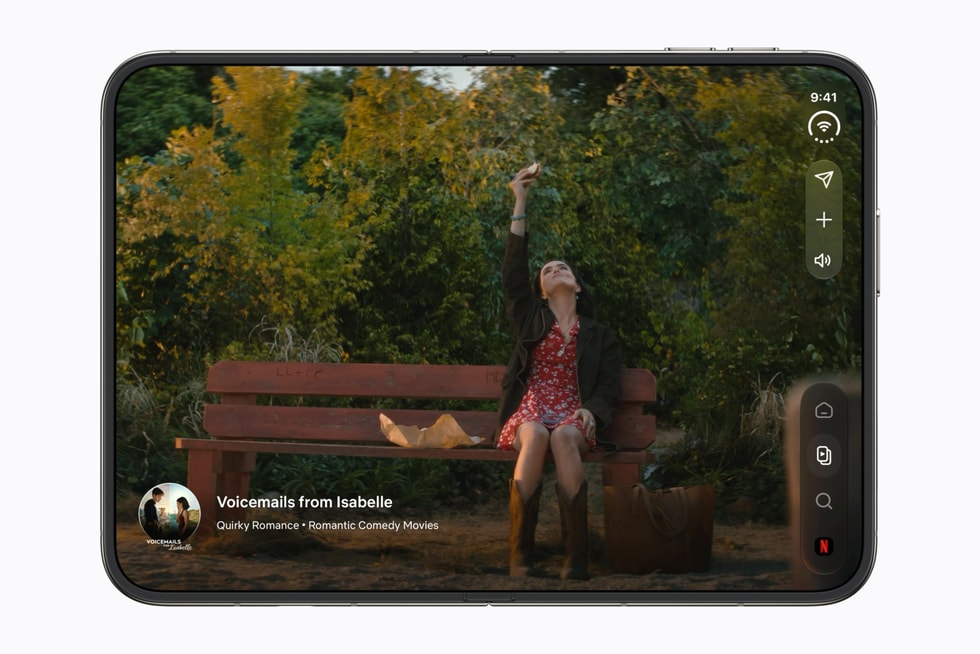
Netflix on iPhone Duo rebuilds Billboard, Clips, and playback for the larger canvas: Apple shows Clips on the outer display and a full inner-display browse when Duo opens. Clips switch frame-accurately between vertical and horizontal, and playback controls move for full screen, folded, and propped poses.
Copyable developer patterns
01
Fold-aware player chromeNetflix says playback controls adapt when watching full screen, folded, or propped up. That is fold-aware layout, not a new streaming API.
02
Outer-display Clips as a compact sceneApple shows Clips on the outer display. Keep that scene glanceable and vertical; let the inner display take regular-width Billboard and the player.
03
Rebuild browse for the inner canvasBillboard was rebuilt for Duo’s jump in canvas rather than letterboxed. Size the inner browse to the width you actually receive.
Screenshots
Closed, open, and folded — only stills Apple has published.
FAQ
How does Netflix work on iPhone Duo?
Netflix on iPhone Duo rebuilds Billboard, Clips, and playback for the larger canvas, with Clips on the outer display and a full inner-display browse when Duo opens. Playback controls move for full screen, folded, and propped poses.
Where do Netflix Clips play on iPhone Duo?
Apple shows Clips on the outer display, as a compact vertical surface. The inner display takes the regular-width Billboard and player when Duo opens.
Is Netflix’s Duo player a new streaming API?
No. Netflix’s first-party statement is that Billboard, Clips, and playback were rebuilt so chrome moves with full screen, folded, and propped poses. That is fold-aware layout, cited from Variety and Apple.
Last updated